Category Archives: Uncategorized

Configuring PLEX on Amazon Firestick

The following steps document the setup of PLEX on an Amazon Firestick, as of December 2021. These will certainly be outdated as Amazon’s interface continues to change.

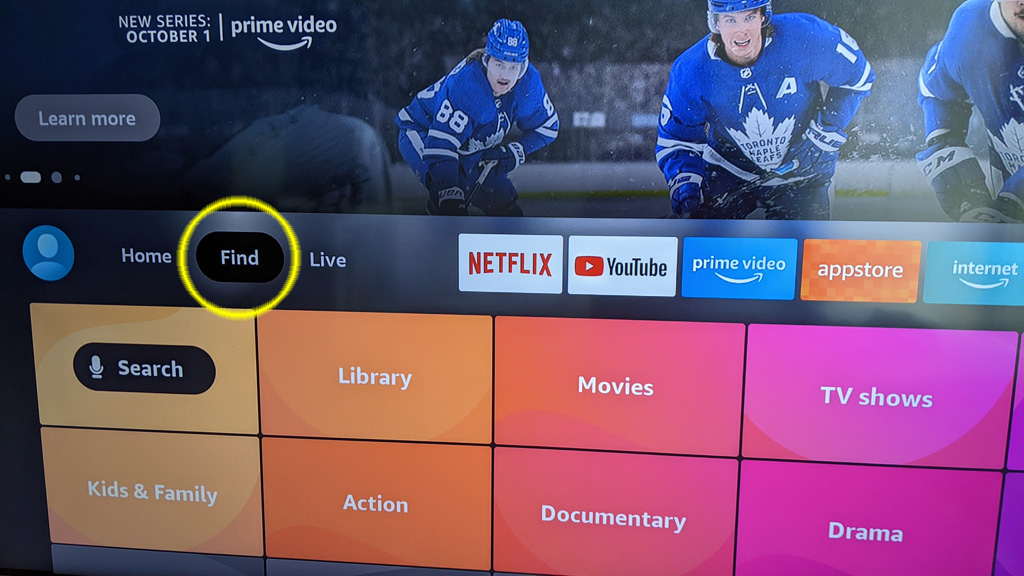
Step #1 – Load the search box

We are going to open the search box, select Find to get started.
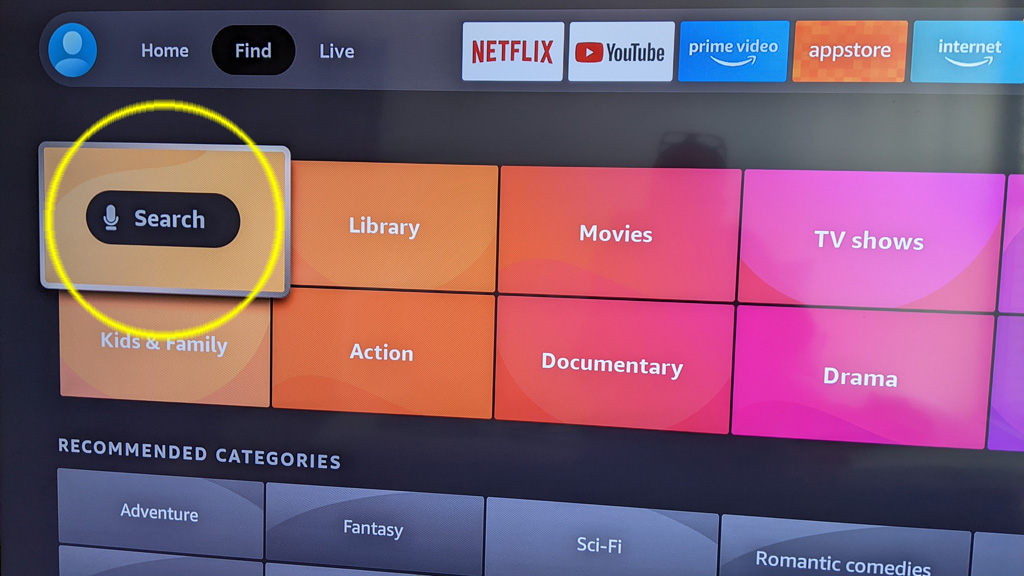
Step #2 – Search for PLEX

Select the search option and search for the word PLEX.
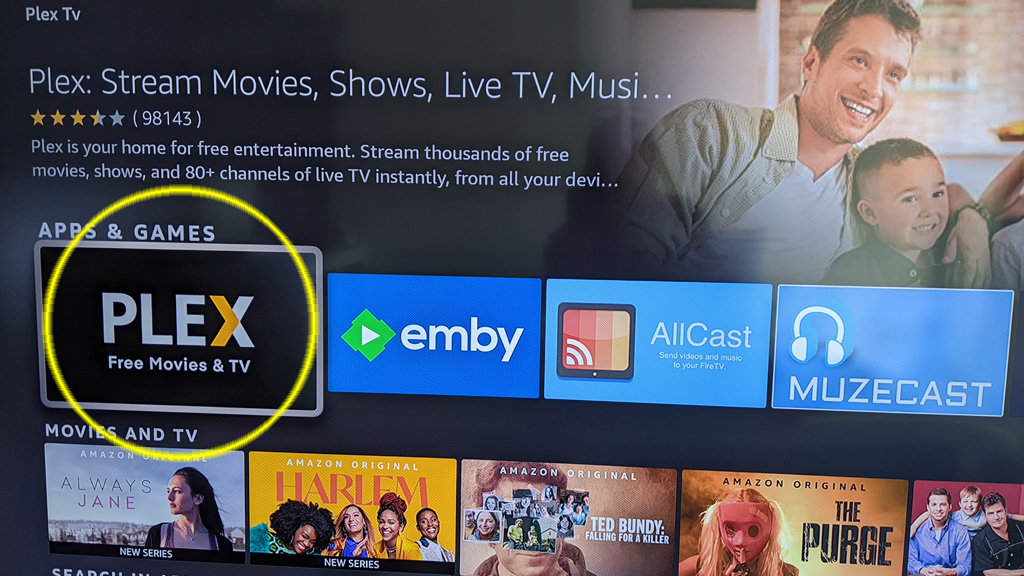
Step #3 – Finding the software

Look for an app with an icon as in the photo below, that is the PLEX app that you want to install on your Firestick.
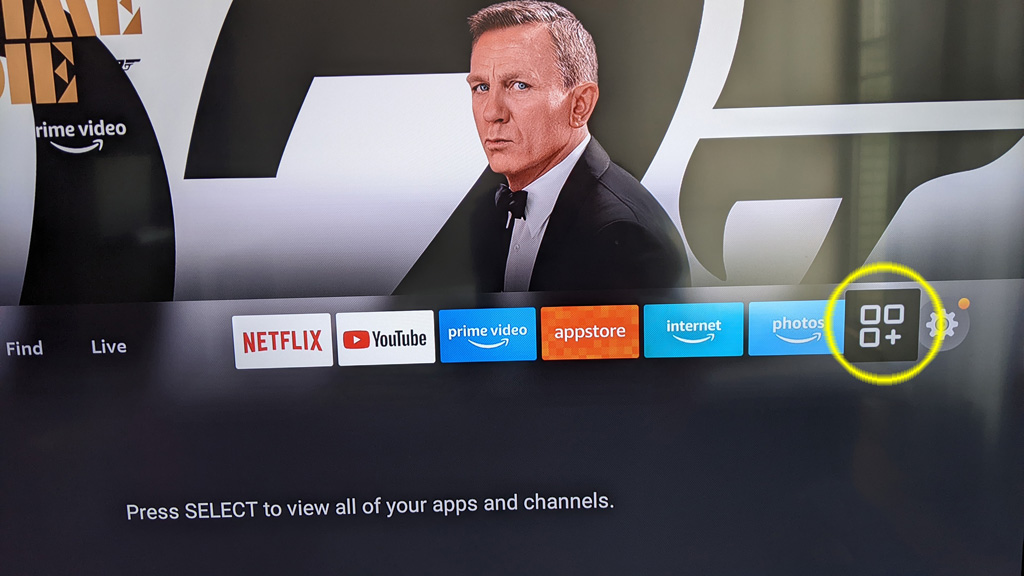
Step #4 – Position PLEX on your quick access bar.

Since you will be using PLEX a lot on your TV, lets move it to your quick access bar (if it is not there already). To do that, select the apps icon, which appears on the right side of the quick access bar.
Step #5 – Move PLEX to front

Once on your apps page, find PLEX and highlight the icon using your cursor – but do not select it. If you accidently select it, it will open and that is not what we want right now so hit the Home button on your remote and start again from Step #4.

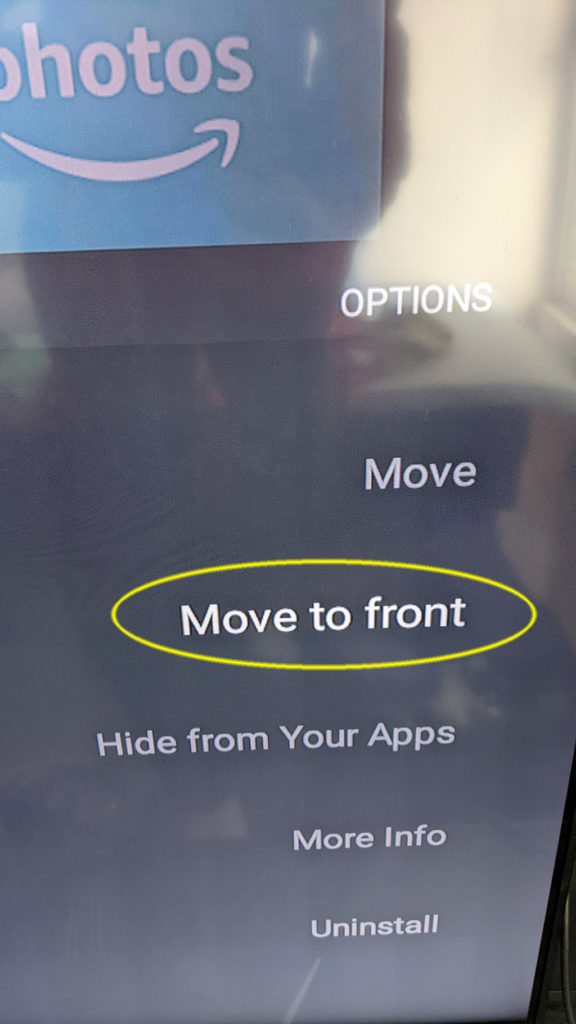
With PLEX highlighted, press the hamburger button on your remote. The hamburger button is a button with 3 (or 4?) horizontal bars.

This will bring up a little menu on the right side of the screen. Select the Move to front option and it will position PLEX at the front of your quick access bar on the Firestick homepage.
Step #6 – Launch PLEX

At this point, PLEX should be installed and easily accessed from your quick access bar. Lets jump back to the homepage, press the Home button on your remote (looks like a little house?).

PLEX should appear as the first item on your quick access bar, select it to launch PLEX.

Step #7 – Sign In

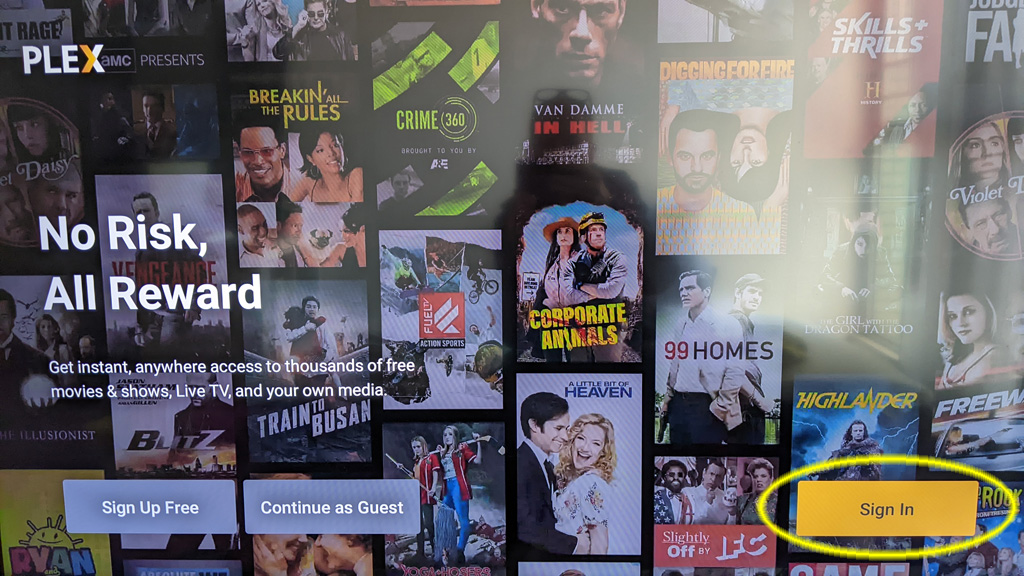
With PLEX opened the 1st time, they want you to login so they know who you are. I have already created an account for you.

From the 1st page, move the cursor over to Sign In and select it.
Step #8 – Authentication

If you have made it to this point, you will be asked to visit some other URL and enter some weird numbers. Please call me to complete this step for you.

Anti-Slip Boots

A random YouTube suggests video thought I would be interested in winter boot slip testing. A lab in Ontario is doing the testing of winter boots, they post all their results on a website that is free to view (unlike Consumer Reports stuff): Rate My Treads

A quick glance at their site, I think I would go with Marks Rundle Waterproof Hyper-Dri 3. Quite a mouthful, but they are affordable and at least get some positive vibes on the Rate My Treads site.

My OTA / Cord Cutting TV Setup

A year+ ago I wanted to try and setup OTA TV. I’m not exactly a cord cutter as I actually have never subscribed to Cable TV in my life.

However, some people in my household wanted access to local news… so my quest began.

Vernon BC – Broadcasters

I will focus this article specifically to Vernon BC as that is where my antenna is located.

Broadcast Tower

The entire city has coverage from rebroadcast tower located on Turtle Mountain (I think that is what it is called), North of Davison Orchards at about 800m. The distance is about 3km to the center of Vernon. Plenty close enough for most any antenna to pickup the signal, there are technically two channels:

  • Channel 20 – CHBC-DT-2
  • Channel 22 – CHKL-DT-2

Unfortunately, they both broadcast Global Okanagan or Global BC. With an exception of what time the news comes on there is no difference between the two channels.

Having the two channels does not give you extra TV shows. 🙁

The TV Antenna

I purchased a fairly large TV antenna with the plan to mount it not directly to the TV but rather put it in a storage room connected to a DVR that could record TV shows. These days no one wants to tune in at 6:30 and watch the news (and commercials) so a recording system is a must.

There is no such thing as a HD antenna and no such thing as an antenna that can pickup a signal for hundreds of miles away. That is just marketing. Browse over to Antanna Man on YouTube to learn about antennas. I think I paid about $100USD for my antenna and it works just fine.

Since the broadcast tower is quite close, you should not require a massive antenna.

DVR #1 – Tablo

For my DVR / tuner device I initially went for a Tablo, which is produced by a company in Canada. I was interested in this device because there was no ongoing subscription cost, if you are trying to cut the cord why do you want to pay any ongoing monthly fee.

I was also attracted to the fact that you could watch TV from any tablet or smart phone or smart TV in your house. It also allowed access from a remote site over the Internet.

Sounds great, watch TV from YOUR own antenna anywhere in the world – very convenient!

The device works great for viewing in your own home. However, the way they have implemented security for remote access really SUCKS! If you have a 2nd home or cabin at the lake you must physically take the device you want to watch TV on to your primary house. You must authenticate a viewing device (phone, tablet or TV) by putting it on the same network as your Tablo device you authenticate. Then you can watch from a remote site.

It totally sucks if you have a 65 inch TV located in a remote location, it means you would have to physically take your 65 inch TV to the location of the Tablo, authenticate and then take it back.

Imagine having to take your TV from your house in Florida up to Canada to authenticate and then take it back.

That was a deal breaker for me. I dumped the device and tried something else.

DVR #2 – PLEX

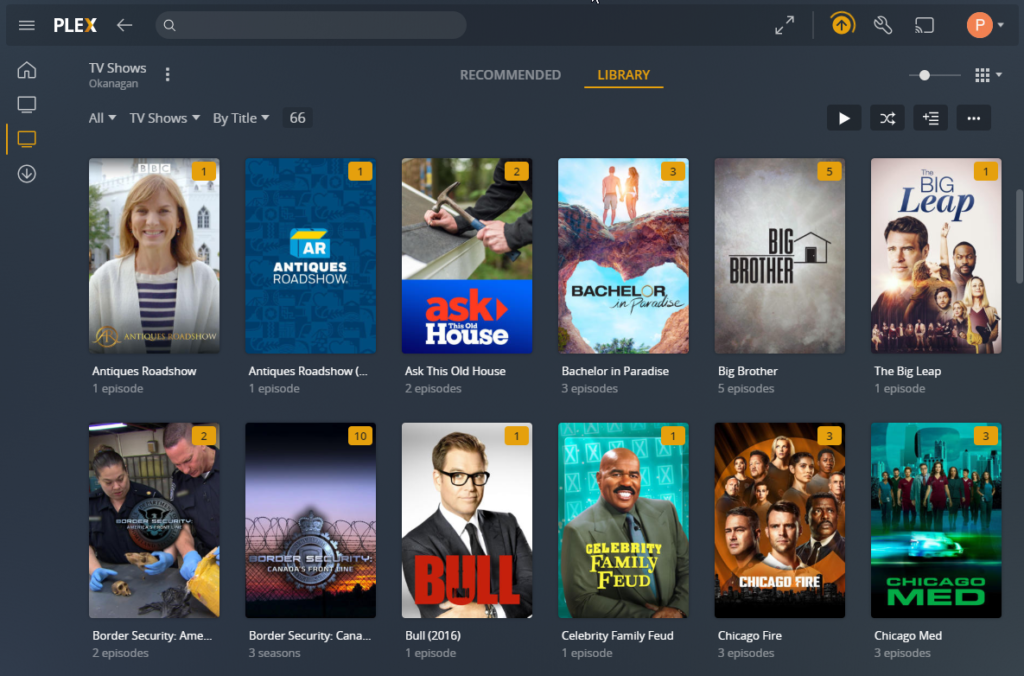
At that point I learned about some software named Plex, it is designed for watching TV & movies. Many people watch movies they have downloaded from the Internet using this software (not something I will get into here).

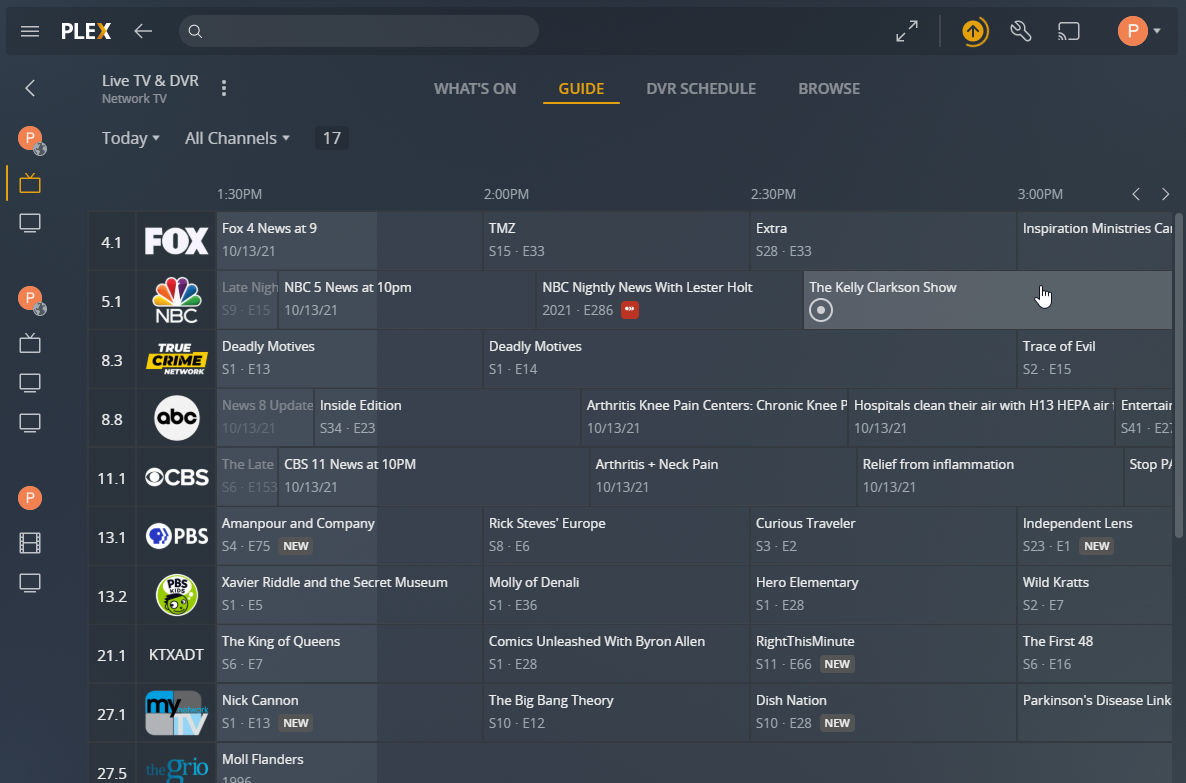
It also has the ability to connect to a TV tuner and record shows directly from your TV antenna. It then integrates all your movies / tv into a large multi-media collection. Watch live TV from your antenna or anything you have chosen to record. It has a TV guide system built in, you can select to record any TV show or series automatically.

A complete TV guide of all your channels, lets you find what you want to watch or record.

Oh, best of all, you can connect remotely from any device with no crazy authentication system like Tablo.

I paired the Plex Media Server with tuner called HD HomeRun, I believe they have models that can tune from 1 – 4 channels at a time.

The Result

I am quite happy with my current setup I can have 10+ users connected and watching TV with no issues at all.

I will not be going back to Tablo anytime soon.

Building An Economical Waterproof Shower

The last few years have introduced many shower systems, such as KERDI-BOARD. These solutions are expensive and unnecessary.

Here are the steps to produce a waterproof shower without breaking the bank.

Use mold resistant drywall around your shower area.

Rather than closing up the seams with drywall mud, use a product like LePage 2 in 1 Seal & Bond.

Apply 3 coats of RedGard® Crack Prevention and Waterproofing Membrane.

You now have a waterproof shower, go ahead – take a shower.

That is all that is needed, you are ready for tile.
For tiles that are 8? to 16?, test coverage using a 1/4? x 3/8? U or Square notch.

A couple notes for myself:

3M 61 spray glue

TYTAN Drywall Pro Adhesive / Lepage PL 200

CertainTeed Premixed Texture “Spray-Lite” – Rona

Filling voids & mesh tape = (USG Easy Sand 20/45/90) / CGC Sheetrock 45
Final coat = CGC Classic Finish (must use 150+ sandpaper)

Ceph Cluster – A 2nd Try?

Back in August 2016 I wanted to try and build a Ceph cluster.  A the time one of the only Single Board Computer (SBC) with a SATA port was the Banana PI.

I bought a few 3tb hard drives (2.5 inch), 4 Banana PI machines and some Odroid C2 machines to use as controllers.

It was very easy to setup the Ceph cluster, but the performance was terrible.  For Ceph to work you really need a high speed back channel for machines to replicate between.

I deployed the hardware for other purposes and called the experiment a failure.

Today I found this post on reddit.  Turns out Hardkernel has released a machine called Odroid-HC2.  It integrated a SBC with passive cooling and the ability to directly connect a 3.5 inch drive up to 12tb.

The guy on reddit deployed glusterfs on 20 of them, apparently glusterfs does not use so much bandwidth to keep the cluster in sync.  His performance numbers are impressive.

I’m not going to build out a cluster of these at this time, but it certainly looks like a fun project.

Syncthing

Everyone and their dog has used Dropbox in the past.  It is good, but commercial and your data is stored in the cloud.

Another option is Resilio, a nice application but I don’t find it stable enough for production use.

I have found Syncthing, open source and your data is not stored in the cloud.  I’m  testing it out on several Windows machines and a couple Linux machines.

Installing on Linux (Debian) from the Debian package was easy enough, but it does not complete the install. 🙁

On top of that the documentation is currently out of date and/or not correct on how to get the thing running as a service.

I found this page that goes over how to get it running, the instructions even work unlike a number of others I have found.

Another thing that is not clear, is where the configuration file is.  If you start it using systemctrl as per the instructions (assuming username is user1), the system creates a default config file at: 

/home/user1/.config/syncthing/config.xml

I assume this is all done so each individual user can  set it up on the machine and have their own configuration…  of course in that way you have multiple people using the same port but guess they can fight over that.

The following commands could be used to enable the service (assuming username is user1)

systemctl enable syncthing@user1.service

With the service enabled it will start automatically on a restart.

If you want to stop/start or get the status while running, use these commands:

systemctl start syncthing@user1.service
systemctl stop syncthing@user1.service
systemctl status syncthing@user1.service

Builing A Deck With No Screws

Well, not exactly no screws but how about no screws that can be seen?  I have viewed a couple YouTube deck builders who were making decks while screwing in from the sides.

Today I found the tool that can do this easily.  It is called the Camo Marksman, from a company called Camo Fasteners.  You place it over your board and it automatically spaces the board and allows you to screw in from the side.

The result is a very clean looking deck, love it.

Testing the SSL Certificate on an Email Server

Have you ever tried to remotely test an SSL/TLS certificate on an email server?

It is no easy task, unless you know the simple command. Most online SSL testing tools that work against an email server will report if the connection is encrypted, if the cert matches the expected server name etc. However one piece of information they fail to check is if the certificate is expired.

I found OpenSSL has an easy command you can use to connect to an SMTP server and pull the details of the certificate in use on that server.

openssl s_client -starttls smtp -crlf -connect 123.456.789.012:25

Multiple Locale Website

This week I am experimenting with multiple languages in PHP based websites. The process is of course not so straight forward, so I am documenting some of what I am doing to get a server setup.

I am using GNU’s GETTEXT and Poedit, in order to get these things running you need to prep the server first. Gettext is well supported in PHP, which is why I am going that route.

On my debian server, I must first install gettext. I just installed the package.

apt-get install gettext

If you want to support a specific language, it must be a supported locale in the host OS as well.

In most linux distributions you can get a list of currently installed languages using:

locale -a

If you try and use gettext with a language that is not supported, it will not work.

On debian to install another supported language, it is fairly easy (I like easy) if you run:

dpkg-reconfigure locales

Then just select the locales you want to support and it takes care of the rest. Doing a locale -a again you should see your newly added languages.

Super Micro IPMI Firmware – X7DWT-INF

supermicro-logoI am managing a rack of Super Micro servers, the motherboard model is X7DWT-INF with built in IPMI using a AOC-SIMSO+ card.
The servers are old – quite old, but still perform their designated tasks just fine.

The rack contains a mix of Windows & Linux servers.

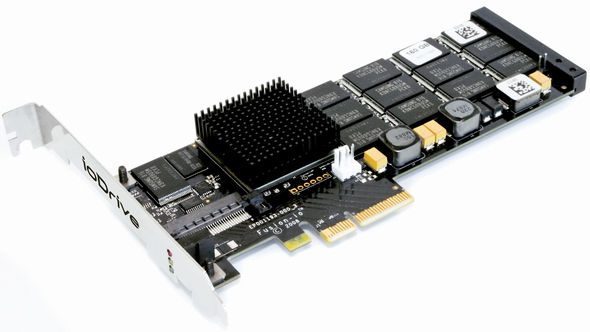
iodriveI wanted to convert one of the Linux servers over to Windows 2008 (the latest Windows OS supported by the board) to test out the performance of a Fusion-IO ioDrive (also old technology).

Despite having installed all the operating systems on this rack of Super Micro boards, getting Windows 2008 installed via IPMI was quite difficult. The system would install until the graphical interface showed up – then I lost all mouse or keyboard control.

Tried everything I could think of, no luck. Maybe there is a newer firmware than is installed on this machine? The AOC-SIMSO+ had firmware 1.60 installed, after hours of searching I found that 1.64 was available but I could not find any release notes anywhere.

Don’t know what the difference in firmware is, but it seemed to have fixed my problem. Just for my own future reference I am leaving a copy of the 1.64 build here… with such old computers Super Micro has sorta pushed the firmware to the back of their site so it is difficult to location.

I’m still looking for the latest firmware for the motherboard itself…